Devlog: Learning the Controls
Lowblock is played on a controller, and only on a controller. That wasn't the plan at first. There used to be a keyboard layout, but the football here is analog all the way through. How far you push the stick sets your speed, sprint is a trigger you squeeze, and a shot is a button you hold for a split second. A keyboard can't do any of that, so keyboard players were always a step behind. Now it's pads only. The keyboard and mouse still work in the menus.
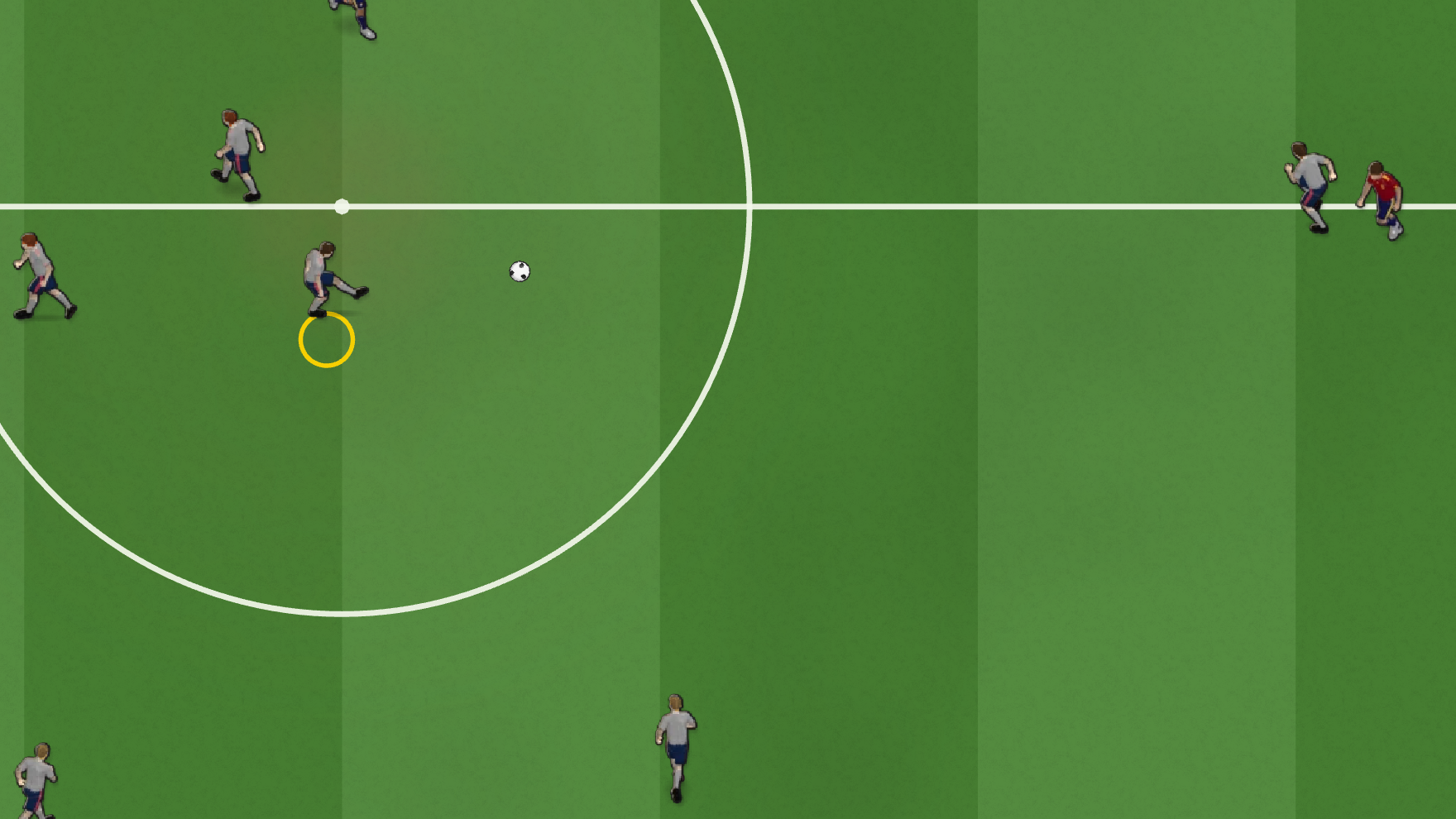
This post covers every button, with a few close-up shots from a real match to show what each one does.
(Button names use the Xbox layout. On PlayStation: A = ✕, B = ○, X = □, Y = △, LB/RB = L1/R1, LT/RT = L2/R2.)
The layout at a glance
| Action | Button | With the ball | Without the ball |
|---|---|---|---|
| Move | Left stick | dribble | run |
| Pass | A | tap = short, hold = long | — |
| Shoot | X | hold to charge, release to shoot | — |
| Through ball | Y | tap = short, hold = long | slide tackle |
| Lofted pass / cross | B | tap = short, hold = long | — |
| Slide tackle | Y | — | slide |
| Switch player | LB | — | nearest man to the ball |
| Cover | LT | — | the defender goal-side of the ball |
| Sprint | RT (hold) | faster, but a looser touch | faster |
Buttons can be remapped per controller in Settings. The controls table there is built from the button map the game actually uses, so it always matches what happens on the pitch.
Moving: the stick is a throttle
Push the stick a little and your player jogs. Push it all the way and he runs. With the ball you're about 20% slower than without it, so a defender who times his run can catch you.
Hold RT to sprint. You get about 20% more top speed, but the ball runs further ahead of your feet and you turn in a wider arc. Sprint through a crowded midfield and you'll lose the ball. Save it for open grass.
Pass (A)
Tap A for a short pass and hold A for a long one. The game picks the receiver from the direction you're holding:
- Short looks across a wide arc close to you. It's the safe ball into feet.
- Long looks along a narrow arc further away and prefers the furthest man, so you can switch play.
The pass speed depends on the distance, so the ball arrives at a sensible pace whether it's five yards or forty.
When one of your teammates receives the ball, control switches to him automatically. That is the only time the game changes your player for you. Every other switch is a button you press.
Through ball (Y)
This is the one that wins matches. A normal pass goes to where a teammate is. A through ball goes to where he's about to be. Aim with the stick and the game picks an onside teammate in that direction, then plays the ball into the gap ahead of him. He'll run onto it.
Same charge as the pass: tap plays it into a nearby gap, hold sends it long in behind the defence. Look for a forward on the shoulder of the last defender, but watch the line, because offside is on.
Lofted pass and cross (B)
B works like A with the ball in the air: tap for a short chip, hold for a long one, and it always travels further than a ground pass. Use it to lift the ball over a crowded middle.
From the wide area beside the penalty box, B becomes a cross. There's no header button. When a cross drops onto one of your players, X heads it at goal and A nods it on to a teammate.
Shoot (X)
Hold X to charge and release to shoot. The charge is quick, about a third of a second for a full bar, and the most power comes early. If you keep holding after that, the ball gets no faster and just rises, so an overcharged shot flies over the bar. With a defender close to you, the bar fills faster, so shots under pressure are harder to judge.
You always shoot at goal. The stick when you let go decides where:
- Stick sideways aims for that corner.
- Stick pulled back (away from goal) chips it. That's how you beat a keeper who rushes out.
Slide tackle (Y without the ball)
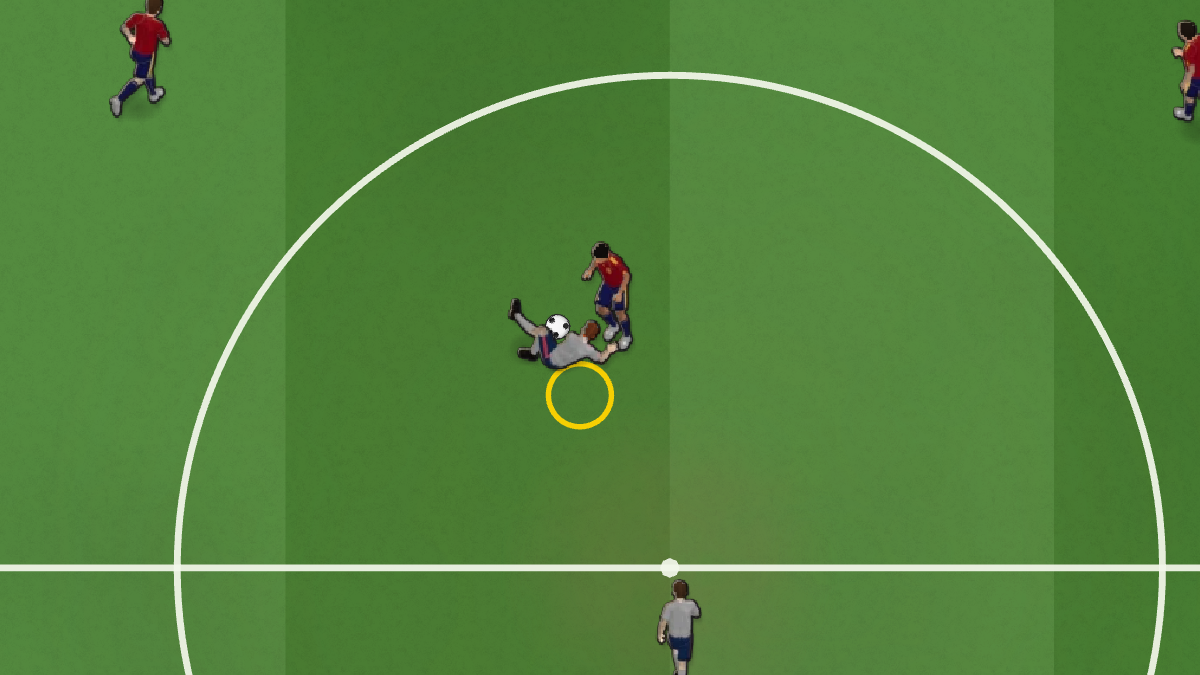
RB makes your player slide in. If you don't have the ball, Y does the same, which is why the through-ball button doubles as a tackle. The game only allows a slide when you don't have the ball and only allows a kick when you do, so a shared button can never do the wrong thing.
Once you're sliding, you can't stop. If you reach the ball, you take it with you, like in the screenshot above. If you miss, your player is on the floor while the attacker runs past, and if you go through the man instead of the ball, the referee will notice. Only slide when you're sure.
Two ways to change player (LB and LT)
Defending well mostly comes down to being in control of the right player, so there are two switch buttons.
- LB: Switch. Goes to your player nearest the ball, and each press moves to the next nearest. Use it when the ball is loose and you want to get to it first.
- LT: Cover. Picks the defender best placed between the ball and your goal, not simply the closest one. It doesn't cycle, so pressing it again keeps you on the same covering man. When the other team breaks forward and your nearest player is behind the play, press LT to take the defender who can still stop them.
You can't switch while you have the ball. Why would you want to?
One more: the team screen (Back)
Back / Select requests the team screen for formation changes and substitutions. It opens at the next stoppage, for both teams, so nobody gets paused in the middle of an attack.
That's the whole controller. There are only a few buttons, but you have to get the timing right: the pass charge, the shot charge and when to slide. Grab a pad, and we'll see you on the pitch.
Leave a comment
Log in with itch.io to leave a comment.